Private beta · Limited spots

Turn your photos into German lessons — at your level.

Your street, your groceries, your new neighbourhood. Upload a photo and get a leveled lesson — description, translation, audio and flashcards — built around the life you're actually living. (Learning English or Spanish instead? Those work too.)

You're in.
Your code arrives by email — usually within a few days
Free during beta · No credit card · We'll email your code when a spot opens
Inviting testers in waves DE EN ES  today
checklyn.net / gallery / basketball-court
A1 · ES→DE
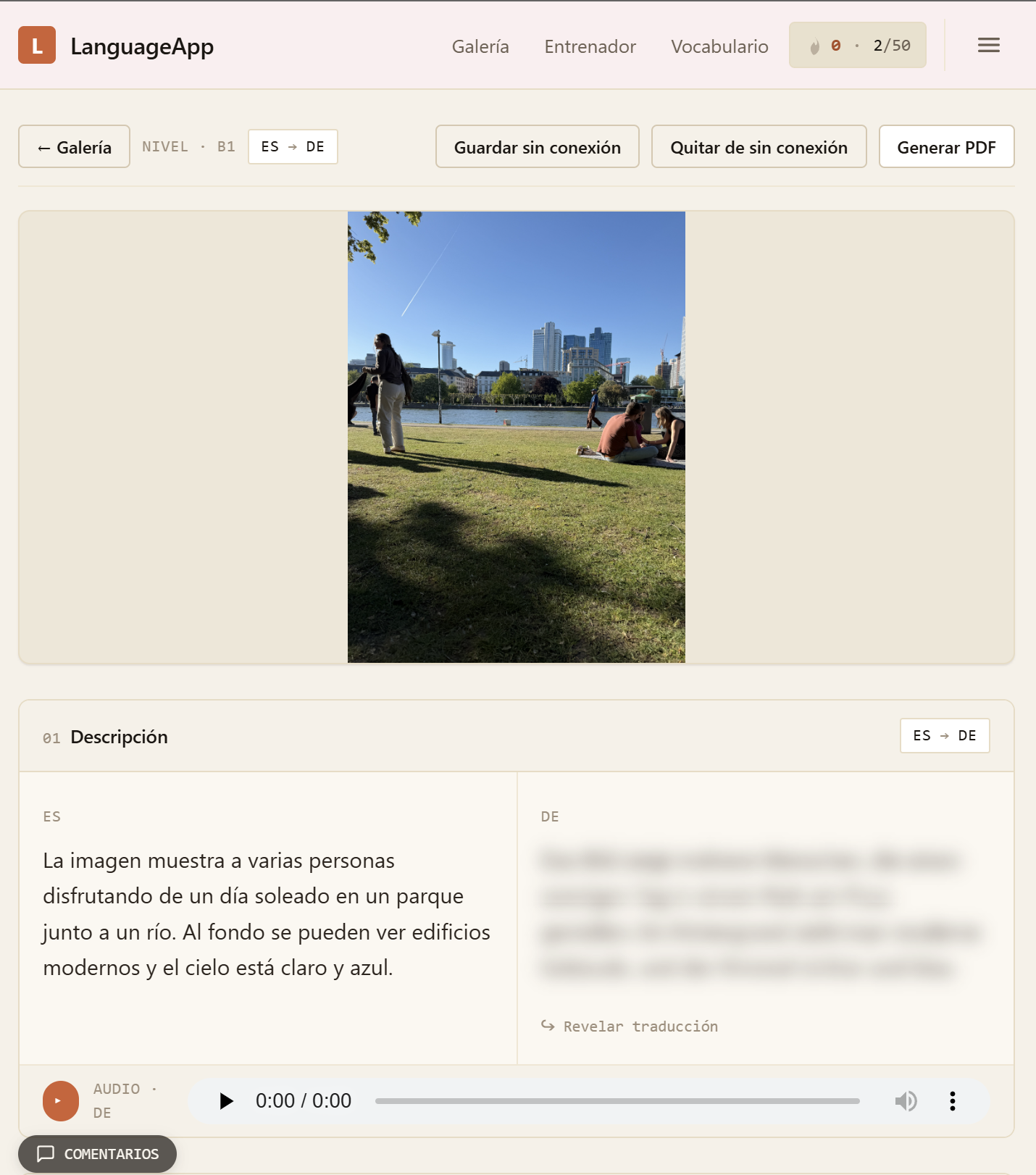
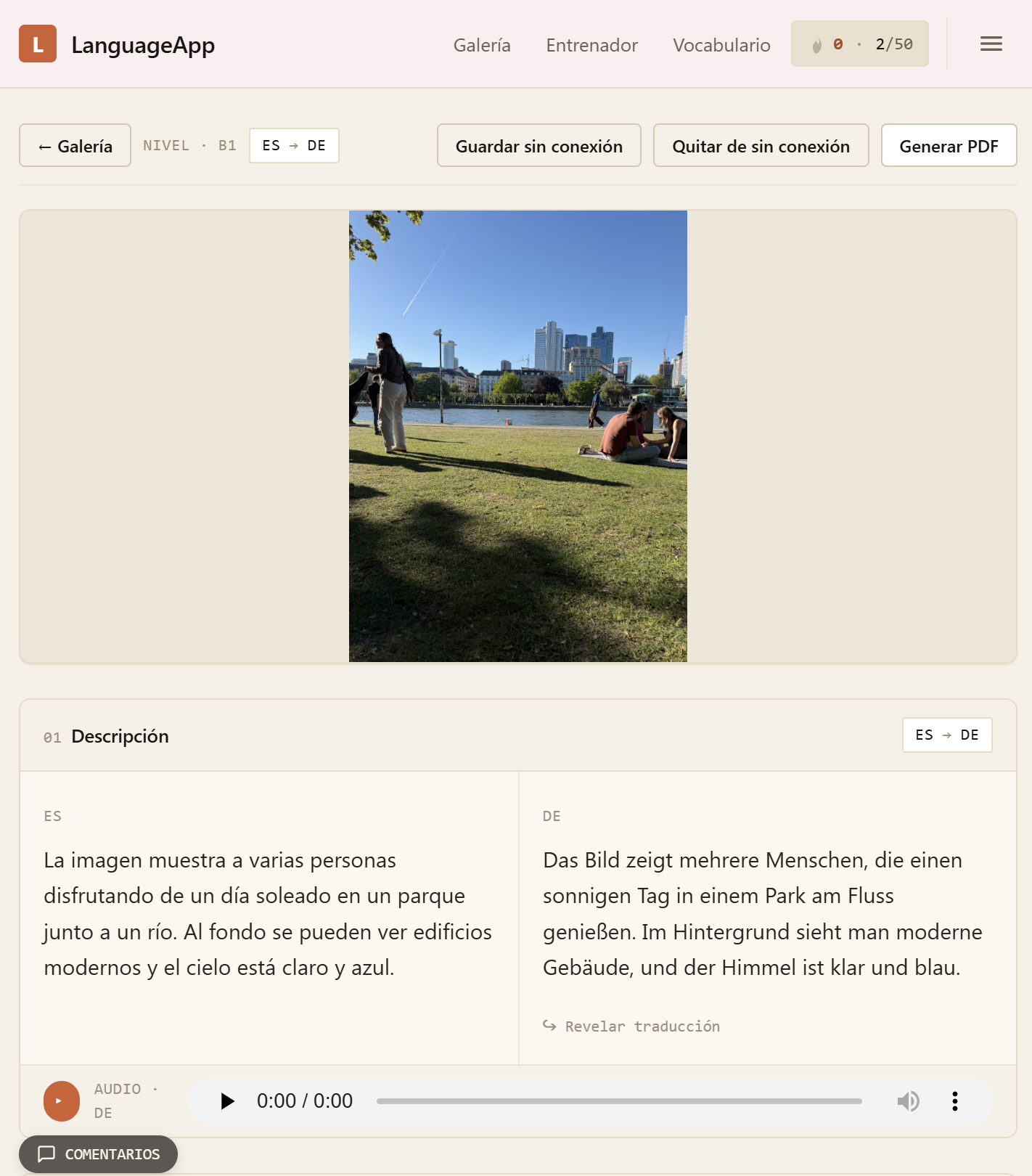
checklyn image detail with the German translation blurred checklyn image detail with the German translation revealed
Live Tap the photo to reveal the German and test yourself first
00 Why I built checklyn
Pop-art portrait of Dominik, founder of checklyn

I built this for my wife. She moved to Germany from Mexico and needed A1 German for her visa — but every app taught her a textbook family she'd never meet instead of the bakery, the Bürgeramt, and the street she actually lives on.

So I built the tool I wished existed: point your camera at your real life, get a lesson at your level. It worked for her. Now it's for you.

— Dominik, founder of checklyn
01 How it works

Three steps. Then a real lesson.

Step 01

Upload a photo.

Your dog. Your dinner. The view from your window. Anything in your life — that's the lesson.

Step 02

Pick language & level.

Pick your target language and where you are today — from beginner to advanced. Vocabulary and grammar match where you actually are.

Step 03

Get your lesson.

Description, translation, audio, vocab and useful phrases — tuned exactly to you, in seconds.

02 See it in action

One photo. A complete lesson.

Here's everything you get from a single upload — seven pieces of one lesson, generated together.

checklyn.net / gallery / basketball-court
A1 · ES→DE
checklyn image detail with the German blurred checklyn image detail with the German revealed

— Same photo, different lesson at every level. The one above is A1 German — at higher levels it gets richer, so the lesson grows with you.

  1. 01

    Description and translation, side by side.

    A clean paragraph at your level — tuned from A1 simple sentences to B1 confident paragraphs. The German is blurred until you tap to reveal it, so the answer is never free.

  2. 02

    Hypothesis — what might be happening.

    Speculation prompts you to read modal verbs, conditionals and uncertainty markers in context.

  3. 03

    Opinion prompt — your turn to speak.

    Share your own experience and opinion about what's in the photo — freely, in your own words.

  4. 04

    Audio for every text.

    One slim scrubber per passage. Listen, read, or both — and it works offline.

  5. 05

    Vocabulary with articles.

    Nouns come with the article — die Blume, not just Blume. Each card has a level badge so you know what's stretching you.

  6. 06

    Useful phrases tied to this image.

    Three or four expressions you could actually use to talk about this photo, in this country, this week.

  7. 07

    Download the whole thing as a PDF.

    Bilingual, printable, offline. Lessons work without signal — perfect on the go.

03 The trainer

Words you've already met, on every device.

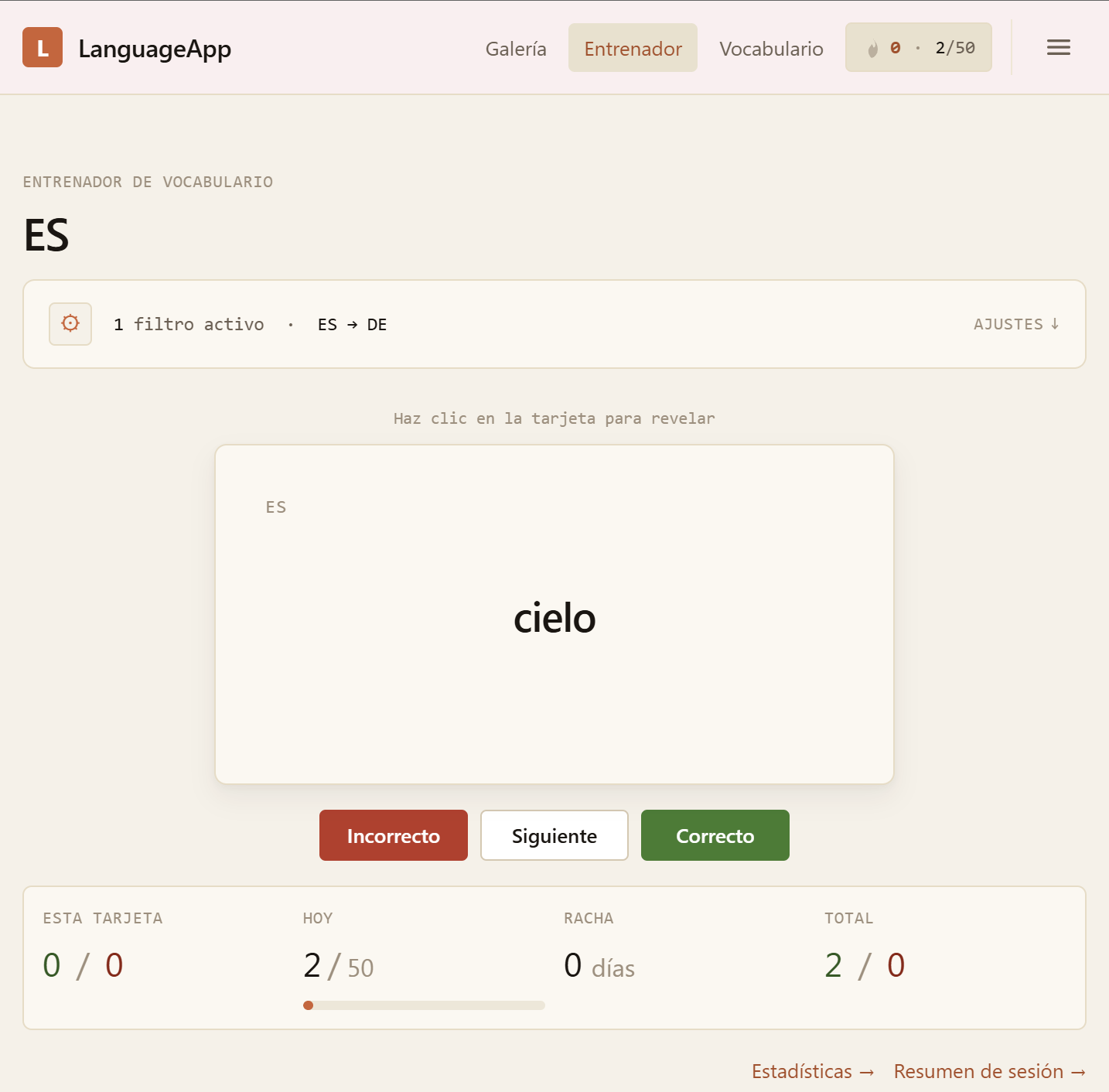
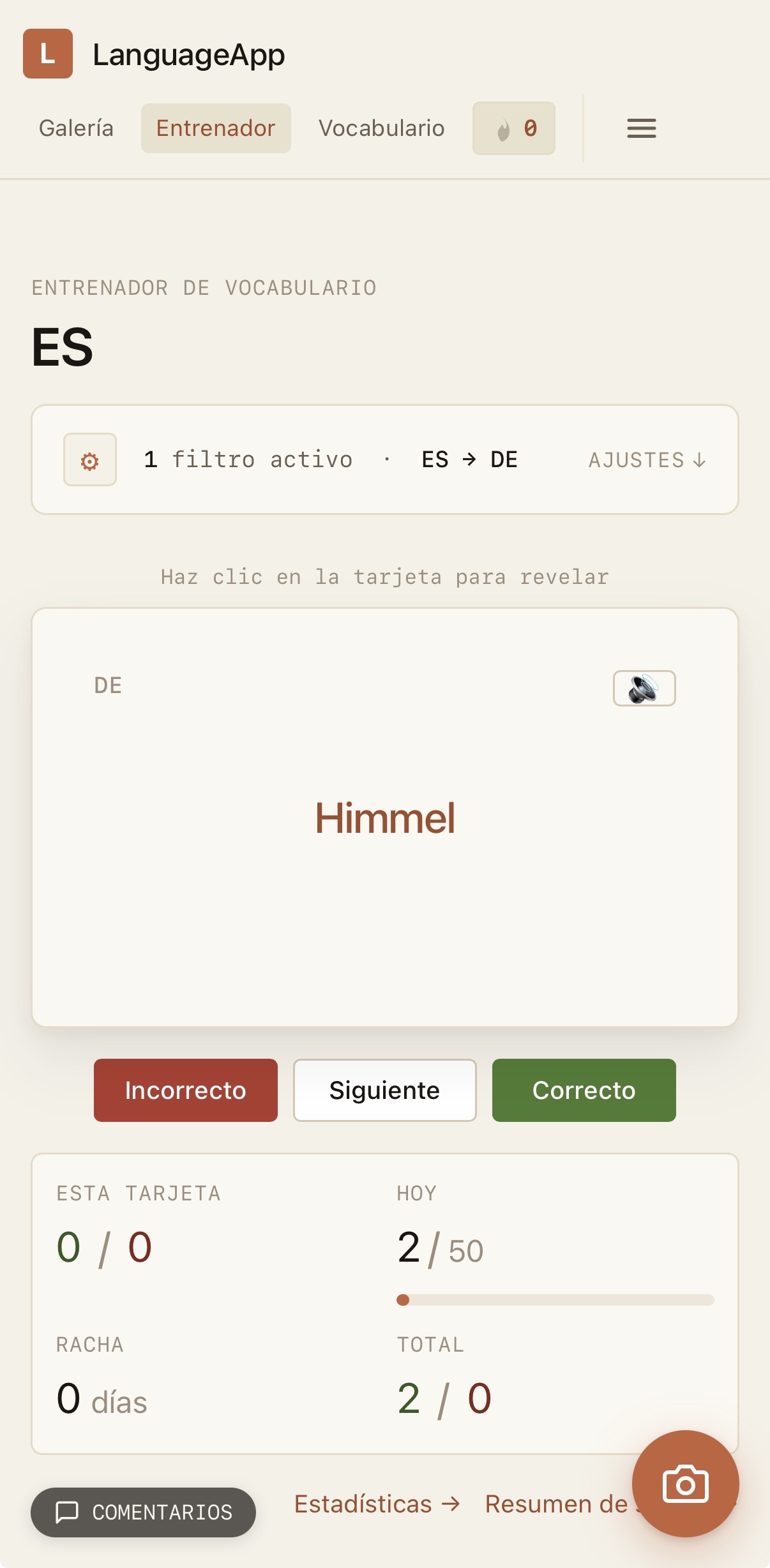
Vocabulary from your photos flows automatically into a built-in flashcard trainer with spaced repetition. Read on desktop. Practice on the bus.

checklyn.net / trainer
DE · 0/50
checklyn vocab trainer showing the German card 'die Blume' with right/wrong/skip buttons

Desktop — full trainer with stats, streak and session controls.

checklyn mobile vocab trainer showing the German card 'der Hund'

Mobile — same trainer, one card at a time.

04 Why it's different

Built differently. On purpose.

01 · Personalisation

Your level. Not a one-size-fits-all lesson.

The same photo reads simpler for beginners and richer for advanced learners. Vocabulary and grammar match where you actually are — so you're never bored, never lost.

02 · Audio & offline

Read it. Hear it. Save it.

Every lesson comes with audio for all three texts and exports as a PDF. Lessons work offline, wherever you are.

03 · Vocabulary that sticks

A flashcard deck that builds itself.

The vocabulary from your lessons becomes a flashcard deck automatically — no copy-pasting, no second app to manage.

04 · Privacy

Your photos stay yours.

Delete originals whenever you want. Set how long files live (1–365 days). Export everything as a ZIP. Delete your account in one click. No third-party trackers — ever.

05 Who it's for

Made for learners who are tired of generic.

Built first for one kind of person — but it works for anyone learning the language around their real life.

The Mover · who it's really for

Relocating to a new country and learning the language around their actual life — the bakery menu, the neighbour's dog, the Bürgeramt forms — often against a visa or residency deadline. Not a textbook family they'll never meet.

1 A1 visa learner → Intermediate
We also serve
The Maintainer

Took a language in school or on a course and wants to keep it alive. Five minutes a day with photos from their own phone is something they'll actually do — unlike the textbook gathering dust.

1 Refresher · any level
The Plateau-Breaker

Done every Duolingo lesson twice, owns three flashcard apps, still stuck. Wants something that grows with them and treats them like an adult — not like they're starting from zero again.

2 Intermediate → Advanced
06 FAQ

Questions, answered.

Is it really free?

Yes — during the beta, completely free. When we launch publicly there will be paid tiers, but beta users get a permanent discount as a thank-you.

Which languages and levels does it support?

Right now checklyn supports German, English and Spanish — both as the interface language and as the language you're learning. You pick your native language and your target language independently from those three.

Lessons span the full CEFR range from beginner to advanced. During the beta the sweet spot is A1 through B1, with B2 and C-level support rolling out as the engine matures. If you'd like a specific language pair or level prioritised, tell us when you sign up — beta feedback shapes the roadmap.

How is this different from just asking ChatGPT?

ChatGPT can describe a photo. It can't tune the difficulty to your CEFR level, generate audio, extract vocabulary with the correct articles, build a spaced-repetition deck, export a study PDF, or keep working offline.

We built this for learners — not for chat.

What happens to my photos?

Whatever you want. You can delete originals whenever you want (we keep the text, audio and vocabulary — just drop the photo). You can set a retention window from 1 to 365 days. You can export everything as a ZIP. You can delete your account in one click and we're gone.

When do I get my beta code?

Codes go out in waves as we open up capacity. Most people get theirs within a few days of signing up. You'll get an email the moment your spot opens.

What if it doesn't work for me?

No commitment. Unsubscribe with one click. No card, no contract, no pressure.

Now open · Inviting testers in waves

Be one of the first to try it.

We onboard in small waves because checklyn is largely a one-person project — I want every tester to get a fast, working experience. Drop your email and we'll send your code as soon as a spot opens.

You're in.
Your code arrives by email — usually within a few days
Free during beta · GDPR-clean · Unsubscribe anytime
Tweaks